PREPARATION
Alchemy CATALYST natively supports a huge array of file formats but it's also flexible enough to let you create simple ezParse rules to control which pieces of your proprietary file to translate and which pieces to protect
Supported Content Formats
Supported File Extensions
- Android Application Packages (.apk)
- Binary Files (.cab)
- DDF Files (.ddf)
- Documentation Files (.doc .docx .rtf .mif .ppt .pptx .pdf .idml)
- ePub Files (.epub)
- Excel Files (.xls .xlsx)
- HTML Files (.asp .aspx .flmsp .flpgl .flsnp .htm .html .hts .jsp .mht .php)
- Help Files (.chm)
- Image Files (.bmp .cur .gif .ico .jpeg .jpg .png .tif .tiff .webp)
- Java Binary Files (.class .ear .jar .war)
- JSON Files (.json)
- MadCap Flare Projects (.flprj)
- Markdown (.md .markdown)
- MS Help 2010 (.msha .mshc)
- Microsoft Visual Studio Project Files (.csproj .vbproj .vcproj .vcxproj)
- Resource Script (.dlg .rc .rc2)
- Resource Files (.acm .ax .bpl .cpl .dll .dpl .exe .flt .msstyles .mui .ocx .scr .sys)
- RoboHelp Projects (.rhpj .xpj)
- Text Files (.ada .ali .bas .cnt .cob .cpp .css .csv .dfm .frm .h .hhp .hpj .htc .inc .ini .java .js .lng .pas .pl .po .properties .rss .smali .txt)
- Xliff Files (.xlf .xliff)
- XLOLA Files (.xlola)
- XML Files (.brs .ditamap .flaix .flbrs .flglo .flixl .flsfs .flskn .fltar .fltoc .flvar .glo .hhc .hhk .jpx .mcsyns .mfcribbon-ms .otf .props .resx .svg .tbx .tmx .toc .wml .xhtml .xml)
- Wordfast Files (.txml .txlf)
- Compressed Zip Files (.zip)
ezParse
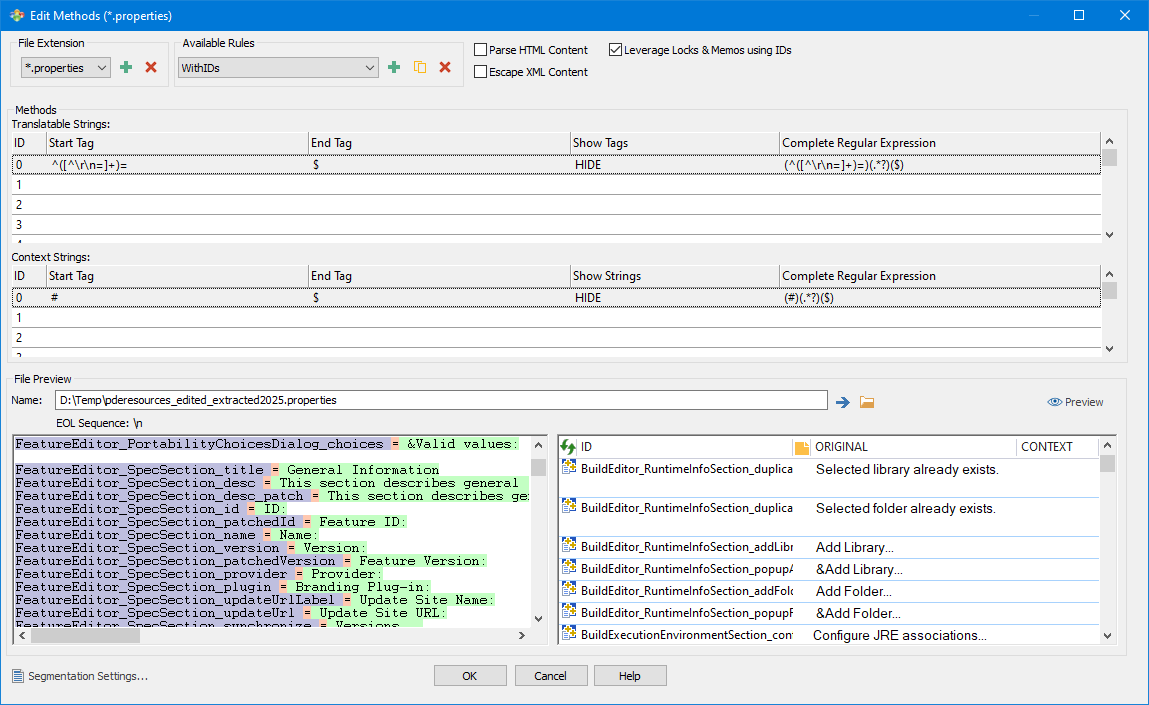
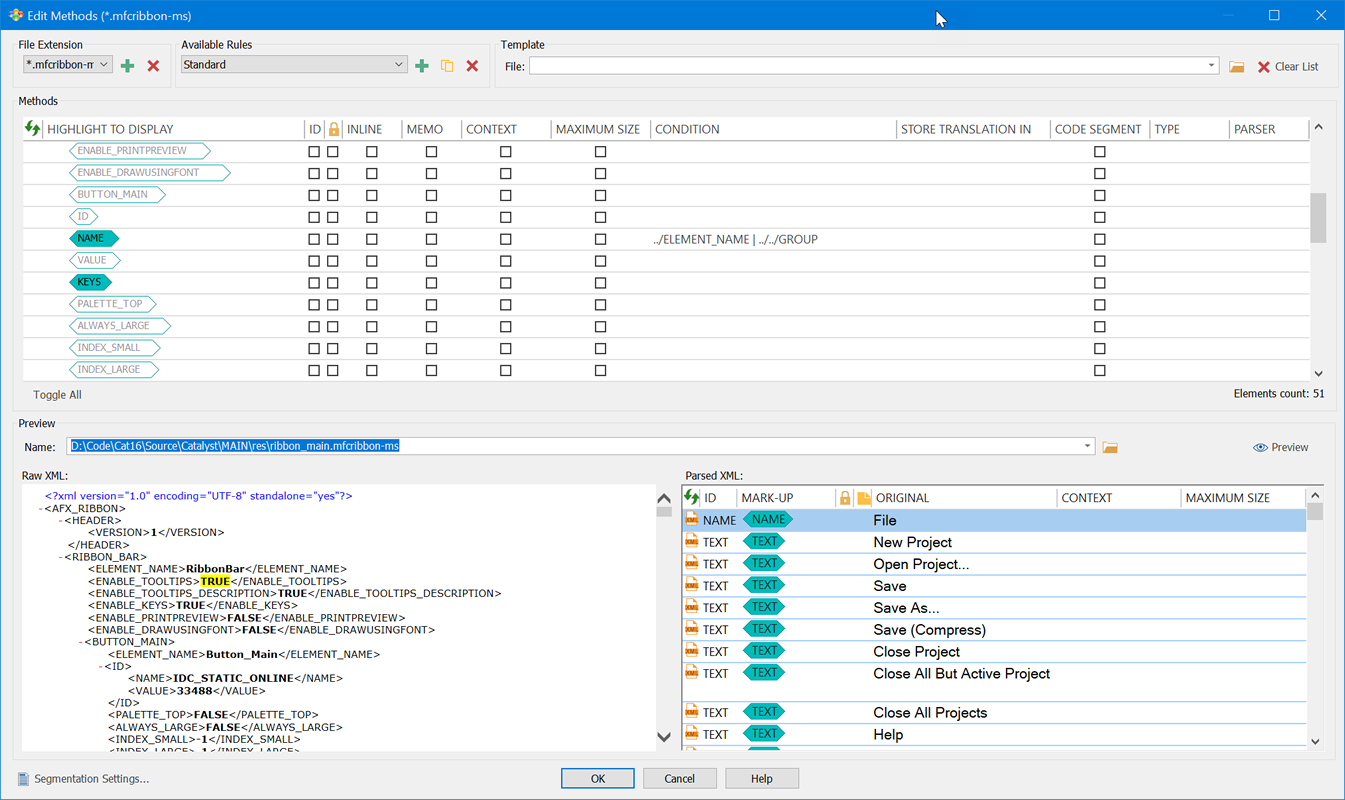
For text-based files, xml-based files and JSON files, CATALYST lets you add your file extensions and create your own parsers, including ways to specify Memos, Maximum Size, ID and context information.
Best Practices
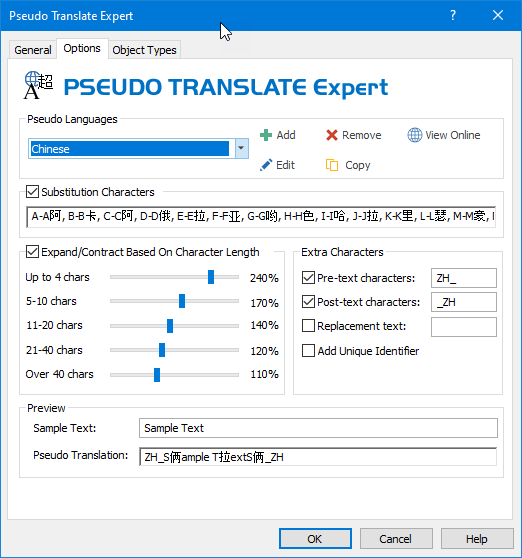
Use the Pseudo Translate Expert to instantly introduce the typical localization changes that can cause problems in software: it helps identify areas of your product that are not suitable for translation without being updated.
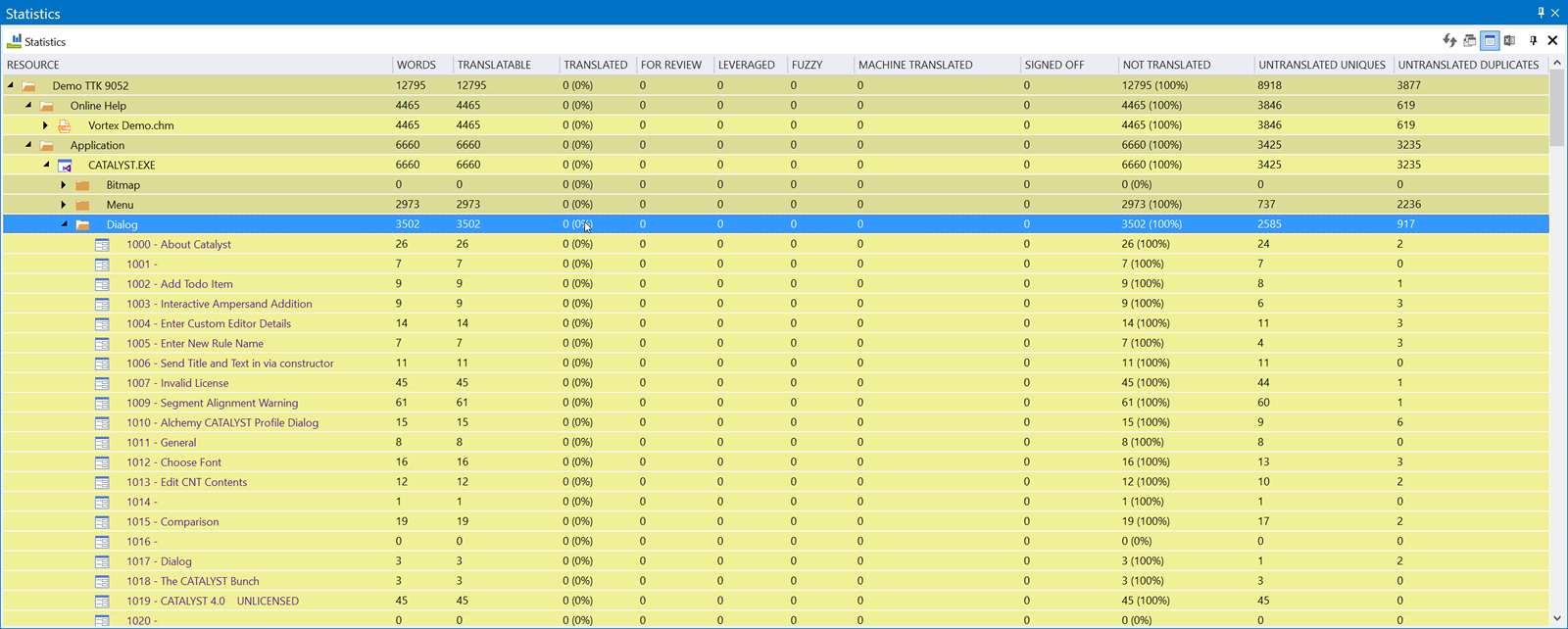
Examining the Statistics pane, you can see how large or complex a project may be. It's worth noting that protected words are removed from the translatable word count and that you may find it useful to export this report to Excel or other formats.
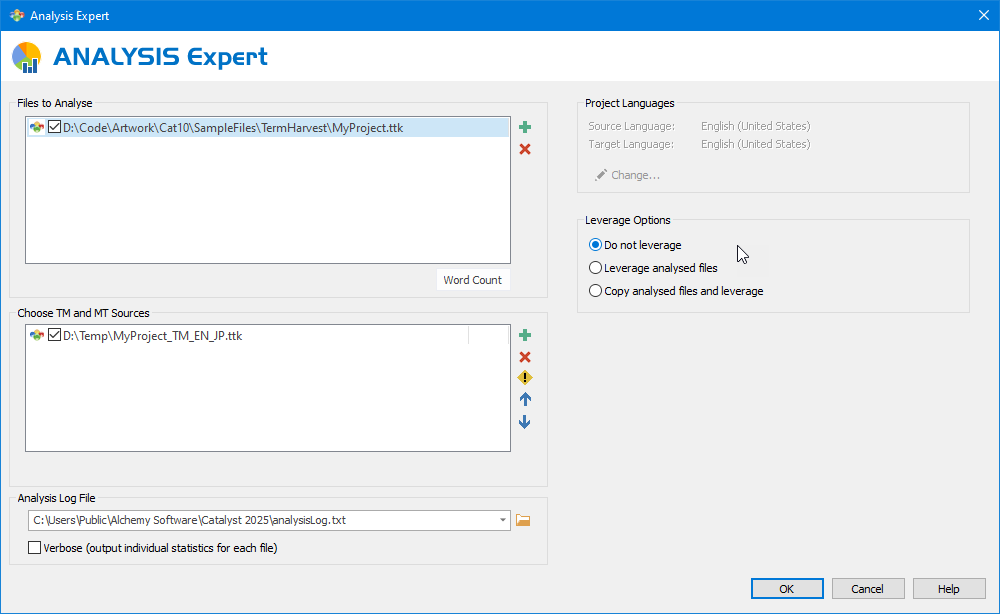
How much of the content you already have translations for and should not pay for again? If you have pre-existing translation memories, use the Analysis Expert to identify how many can be reused.
If you do not have a Translation Memory but do have previously translated versions of the software, use the Alignment feature to put those together to create a TM on the fly.
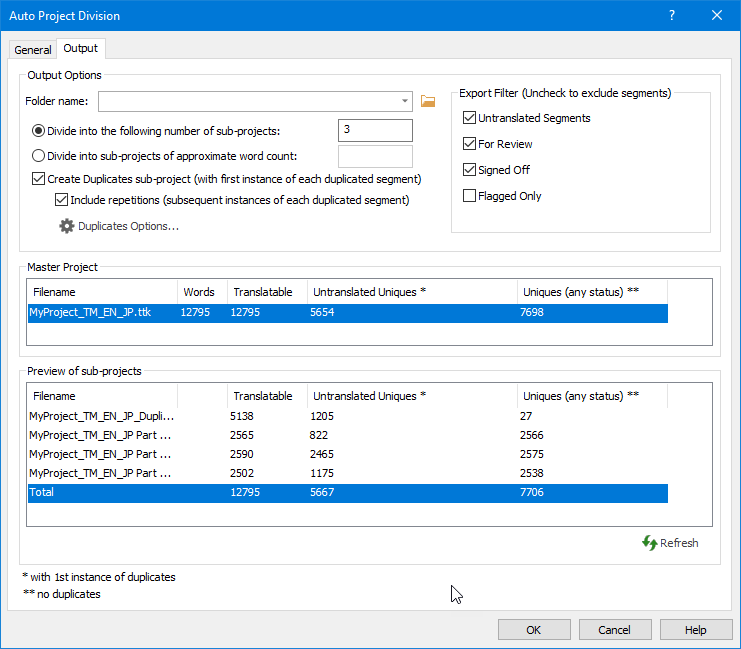
Depending on the size of your project, you may wish to use the automatic Project Division to split the project into smaller chunks while maintaining visual context, so work can be done by more that one translator.
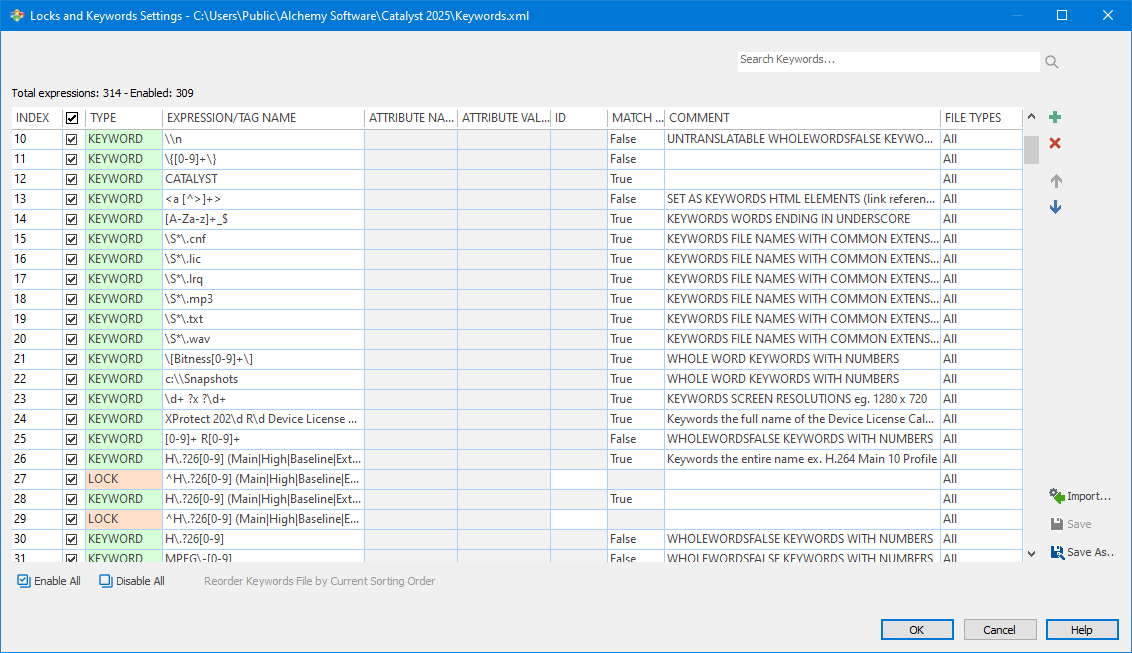
The management of Locks and Keywords is of paramount importance in CATALYST. The linguist doesn't have to guess what words to leave untouched.
If entire segments should remain untranslated they are locked while special words or phrases within a segment are protected using keywords.
TRANSLATION
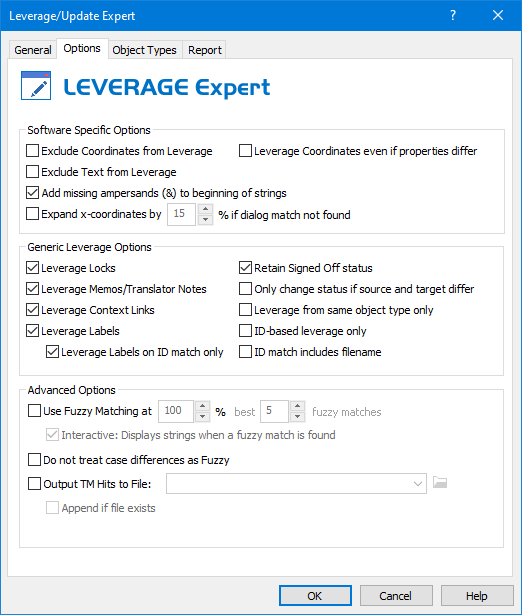
The translation task is made up of a number of steps, the first task will often be to pull in translations from a previous project or translation memory: this is done using the Leverage Expert which is designed to maximize translation reuse.
Leverage Expert
The CATALYST translation memory is an advanced system that remembers not only text translations but also the rich metadata that is associated with each segment.
This can include Memos, Keywords, Locks, Coordinates, external Context Links, sizing constraints, image translations and more.
Translator Toolbar
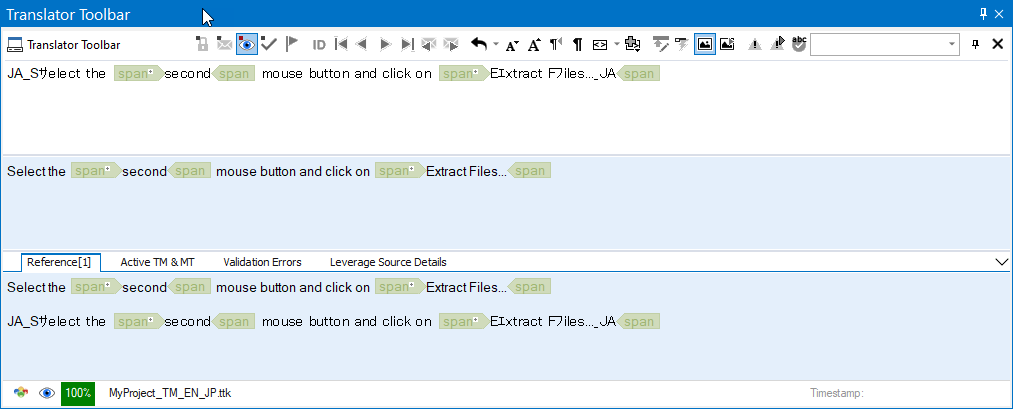
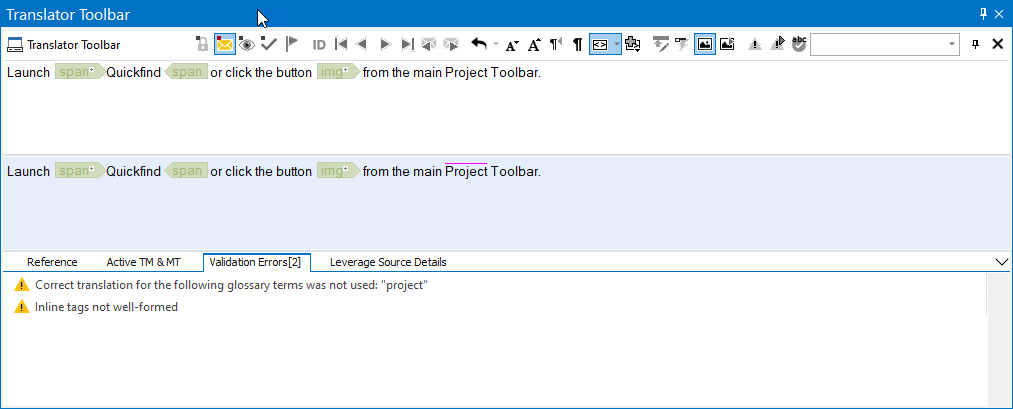
The Translator Toolbar is where quality human translations are crafted. Linguists have a great arsenal of tools at their disposal to ensure the best possible translations every time.
By attaching live TMs linguists are notified of previous translations, exact or fuzzy. Where no translation exists, and if permitted by the project manager, Machine Translation (MT) engines can be invoked to provide additional suggestions.
Prevention is better than cure so the automatic Online Validation marks problems as they are introduced.
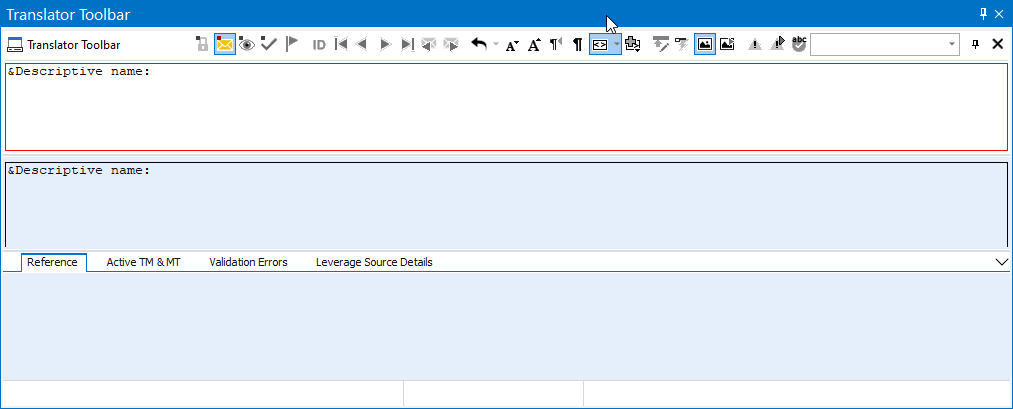
Other physical constraints such as max character count or pixel size are crucial when translating certain kinds of content, especially embedded systems: the beauty of this system is the flexibility to work through the constraint and come back to fix the translation as appropriate until the red indicator disappears.
External references such as images can bring additional information to segments that need more context to achieve a quality translation: these are associated at a segment level through the context links feature
Annotations such as Memos provide a great communication channel between project manager and linguist also on a segment-by-segment basis.
Machine Translation
Alchemy CATALYST includes connectors for the following Machine Translation providers:

Amazon Translate

DeepL

GlobalLink AI

Google Translate Paid API

Google Translate MT

KantanMT

Microsoft MT Translator

PROMT

SYSTRAN
Quality Assurance
When localized content of the highest quality is important, Alchemy CATALYST provides the solution. Tests are designed to validate both linguistic and engineering edits made to software content during translation.
Validation Expert
Validation is carried out in two ways with Alchemy technology: automatic (segment by segment) validation checks translations as they are entered, giving the linguist instant feedback about issues as they arise. The earlier in the process the problems are found the less time is spent on fixing them.
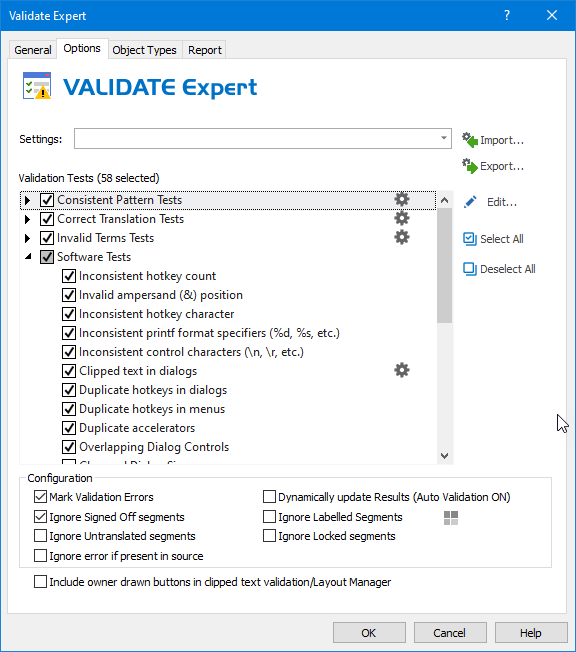
The Validation Expert performs similar tests but across many segments at the same time. It's a productivity feature that checks the integrity of all segments in a file or ttk.
CATALYST comes with many built-in tests:
- inconsistent inline tags
- inconsistent translations
- text truncations
- removal or addition of key software constructs (variable or percentage placeholders)
- spellchecking (built-in or MS Office)
- etc.
There are a large number of built-in tests within a CATALYST but as it's an open system there is no limit to the tests that can be performed.
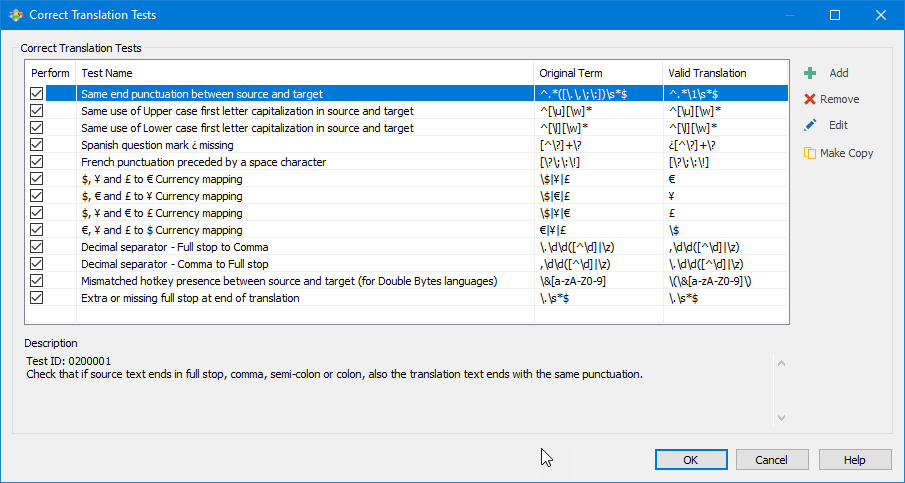
Configurable tests - which are simple to add - validate that a pattern you define is treated correctly.
In this way you can ensure text patterns custom to your projects are validated properly by CATALYST.
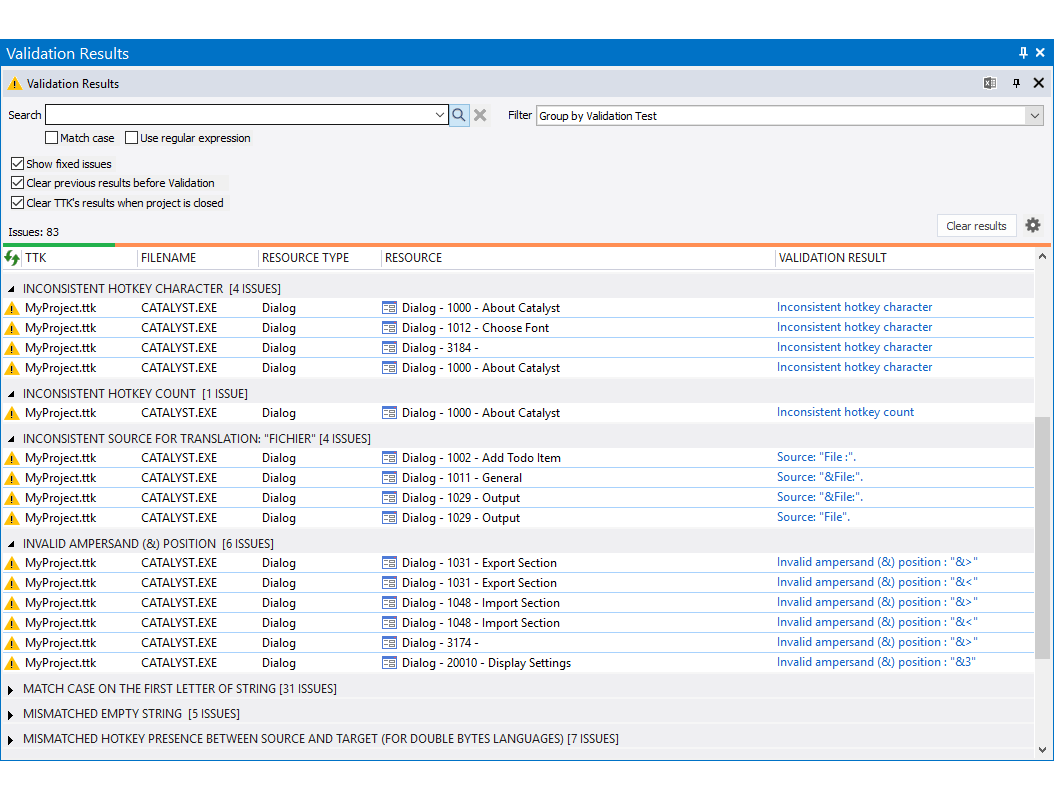
Errors, whether located via automatic validation or via the expert itself, are displayed in the Validation Results pane providing a live link to all problems so they can be instantly corrected.
AUTOMATION
Alchemy CATALYST can fully run in an automated way and be integrated in customers build systems thanks to the ezScript language, a comprehensive set of functions that replicates most of the functionality available in UI mode.
Whenever your objectives include
- Reduce engineering costs by improving efficiency
- Reduce bugs from incorrectly updated UI
- Reduce/eliminate localization build breaks
- Standardize process across different development platforms
- Implement globalization guidelines throughout the developer community
- Eliminate build breaks caused by out-of-sync files
- Update language resources automatically
- Standardize ? one process for many development platforms
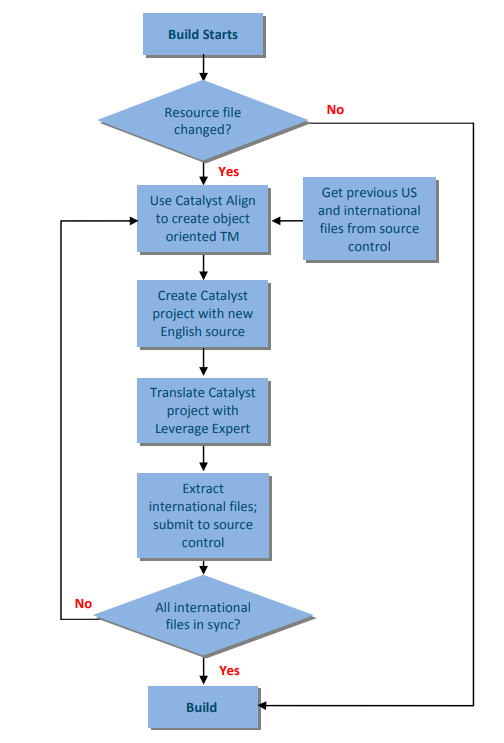
CATALYST's object-oriented TM and id-based matching can be used to accurately leverage multi-lingual content into the development environment, enabling fully automated localized builds, eliminating build breaks due to out-of-sync files.
The process also removes the need for manual intervention within engineering and translation teams, reducing time to market. Automation in Alchemy CATALYST streamlines the whole localization process by providing a single solution for all resource formats and development platforms.