|
|
|
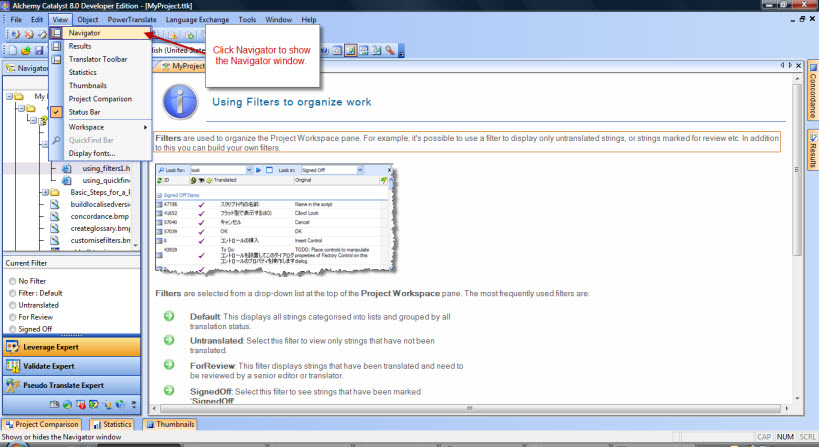
Show the Navigator pane |
|
|
|
|
Show the Navigator pane |
|
SolutionShow the Navigator pane in CatalystThe Navigator pane is where one can see the files that have been inserted, insert more files, and delete inserted files in a TTK project. Go to View menu > Navigator
This is a short FAQ video showing how to show the Navigator Window in Alchemy Catalyst. Check out the Alchemy Software Support YouTube.com Channel: https://www.youtube.com/user/AlchemySoftware
Products or Versions Affected
|
 |
 |
|
|