|
|
|
Resetting the Catalyst UI to the Original Layout |
|
|
|
|
Resetting the Catalyst UI to the Original Layout |
|
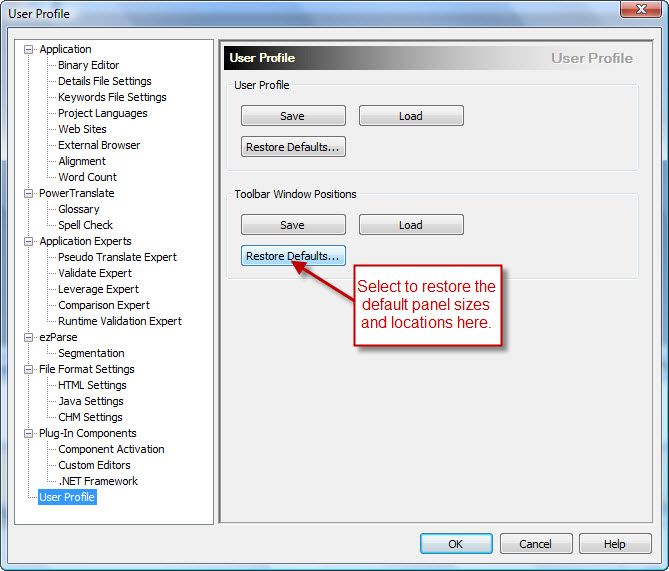
ReasonAfter modifying the layout of Catalyst you might want to revert to the original layout, as per the first time you launched the application. SolutionRestoring the default toolbar windows positionsTo restore the Docking Panel Layout to the original positions, navigate to Tool menu > Options > User Profile. On this window select the Restore Defaults button under Toolbar Window Positions.
VideoCheck out the Alchemy Software Support YouTube.com Channel: https://www.youtube.com/user/AlchemySoftware Related topicsProducts or Versions Affected
|
 |
 |
|
|