|
|
|
Inline Tags are not displayed |
|
|
|
|
Inline Tags are not displayed |
|
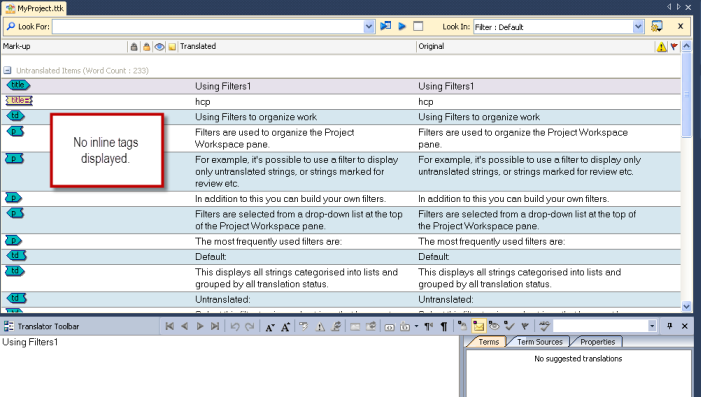
IssueThe inline tags of your HTML file are not showing in String View and not all tags are displayed in the Translator Toolbar.
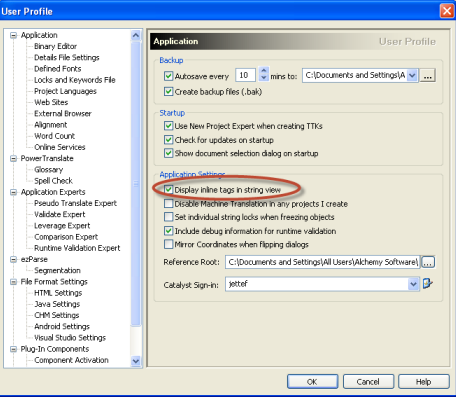
SolutionYou need to turn on "Display inline tags in string view" under Tools > Options > Application
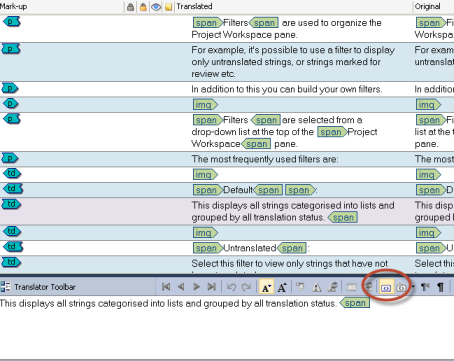
You also need to turn on "show/hide Tags at Extremities" on the Translator Toolbar.
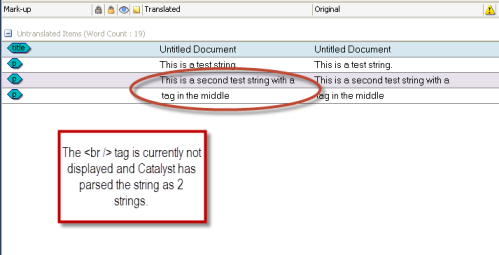
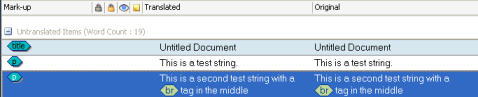
If you are still missing inline tags in a string in String View or in the Translator Toolbar, like in the below example, Catalyst is not displaying the <br /> tag in the third string:
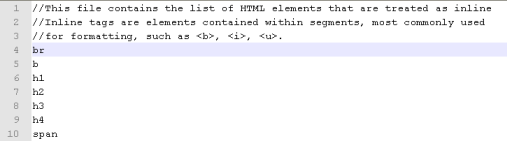
To solves this, please navigate to: • Microsoft Vista & Windows 7 = C:\Users\Public\Alchemy Software\Catalyst 10.0 • All other Microsoft OS = C:\Documents and Settings\All Users\Alchemy Software\Catalyst 10.0 Open the InlineTags.txt file with a text editor (e.g. notepad) and just add the line br and save the file.
If you now insert the file again into Catalyst, the <br /> tag will be handled as an inline tag by Catalyst.
For your information a string which included a <br /> tag would have been parsed as 2 strings when inserted in Catalyst. When treating the <br /> tag as inline tag, Catalyst will then parse it as one string.
Related topics
Products or Versions Affected
|
 |
 |
|
|